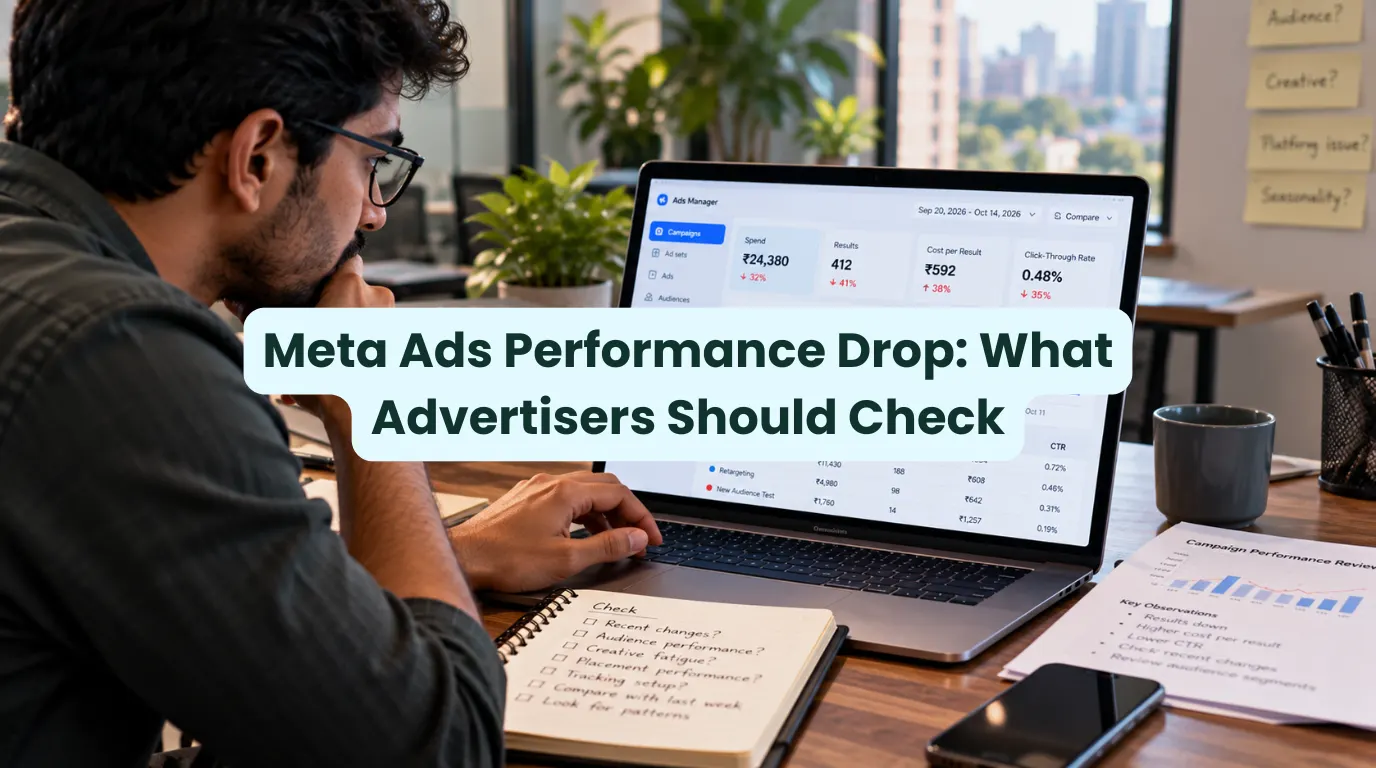


When a campaign that generated leads or sales suddenly stops working, it is easy to blame the algorithm. Costs rise, conversion rates disappear, and the same budget brings in less business. For advertisers seeing Meta ads performance drop, the first question is this:
Is the platform having a wider issue, or has something changed in their campaigns?
The distinction matters. Before changing budgets, replacing creatives or rebuilding campaigns, advertisers need to understand what is actually happening.
Quick Answer: A Meta Ads performance drop does not automatically mean Meta is experiencing an outage. Meta’s Business Status Dashboard is the first place to check for known platform issues. If the list shows no relevant incident, check campaign delivery and tracking. Review recent edits, ad performance, and conversion rate before making major changes.
What Is Happening With Meta Ads?

Advertisers can experience a drop in results even when Ads Manager is working normally. A campaign may continue spending money and generating impressions while clicks, leads or purchases decline. In other cases, delivery or reporting may not behave as expected.
Meta has an official Business Status Dashboard. Advertisers can check tools like Facebook Ads Manager, the Marketing API, and catalog services. This status signal is useful. However, it cannot rule out every problem with a specific account. It also cannot rule out issues that affect some campaigns.
Therefore, treat a Meta Ads performance drop as a problem to diagnose, not as proof of a platform-wide outage. Look at when the decline started. Check the campaigns that this issue affects. See if the change shows in delivery, tracking, or business results.
Why Meta Ads Performance May Be Dropping?
Several factors can explain weaker results. The key is to identify which one fits the evidence in your account.
- Delivery and Auction Changes: Advertising costs can fluctuate as competition and audience demand change. A higher CPM may contribute to a more expensive campaign, but it does not by itself prove that Meta has changed its algorithm or experienced an outage.
- Creative Fatigue: If people repeatedly see the same ad, engagement and conversion rate may have weakened. Compare results across creatives before replacing an entire campaign.
- Early Learning Phase: Meta’s delivery system tests different ways to deliver ads. This happens after you create a new ad set. It can also happen after you make major changes. Performance can be less stable during this period, so frequent edits may make it harder to assess what is working.
- Tracking and Reporting Problems: If Pixel events, Conversions API events or other conversion signals are missing or delayed, Ads Manager may not reflect what is happening on the website. Compare ad reporting with analytics, CRM records and actual sales.
- Problems After the Click: A slow landing page, broken form, checkout issue, or unclear offer can cut conversions for you, even if your Ads are still attracting visitors.
What Advertisers Should Check First
If you notice a Meta Ads performance drop, work through these checks before making drastic changes.
1. Check Meta’s status page: Look for relevant issues affecting Ads Manager or the Marketing API at metastatus.com.
2. Compare the right metrics: Review CPM, link CTR, CPC, conversion rate and cost per result together. For example, stable clicks alongside falling leads suggest a different problem from a sudden decline in impressions.
3. Verify conversion tracking: Test the events that matter to your campaign, such as form submissions, purchases or registrations. Compare Meta’s reported conversions with your website and CRM data.
4. Review recent changes: Check budgets, targeting, creative edits, optimisation events and delivery status. Significant edits can affect the learning process.
5. Test the customer journey: Open the landing page on mobile and desktop. Submit the form, test the checkout and confirm that the offer and call to action are clear.
6. Compare equivalent periods: Avoid concluding from a few hours of data. Compare similar days and account for your normal conversion delay.
7. Make controlled adjustments: If you identify a likely cause, change the relevant variable and monitor the result. Avoid changing targeting, creative and budget simultaneously because it becomes harder to identify what improved or worsened performance.

The Number That Matters
For this topic, the most useful number is not an unverified industry-wide percentage decline. It is your own change in cost per result compared with a relevant baseline.
For example, if your cost per qualified lead rises from ₹500 to ₹650, that is a 30% increase. But the number alone does not explain why it happened. You still need to examine delivery costs, click quality, conversion rate and tracking to identify the likely cause.
This is more useful than claiming that every advertiser is seeing the same Meta Ads performance drop. Campaign objectives, industries, audiences, and conversion paths differ, so you must base the diagnosis on the account’s own data.
What Happens Next?
The next step is to monitor the official status page and compare your campaign performance over a meaningful period. If Meta reports a relevant issue, note when it started and identify the affected campaigns. If the status page shows no known issue, continue with account-level troubleshooting.
A persistent Meta Ads performance drop may require changes to creative, tracking, landing pages or campaign structure. The right response depends on where the decline occurs. If impressions are stable but conversions fall, rebuilding the entire campaign may not solve the real problem.
DMT Take on Meta Ads Performance Drop
The biggest mistake advertisers can make during a performance decline is changing everything at once. A drop in results can come from several places, and the platform is only one possibility.
Check the facts, find where the funnel is breaking and make changes based on evidence. A status dashboard can tell you whether someone has reported a known platform issue. Your campaign and conversion data can help you understand what is happening to your business.
DMT’s Advice: Don’t panic-pause campaigns or rebuild them without a diagnosis. Investigate first. Make controlled changes. Judge the outcome by qualified leads, sales, and cost per acquisition, not clicks alone.
As algorithms shift toward conversational search, tracking regional updates becomes crucial. Read more about the latest AI ad rollouts here.
Sources
- Meta, Business Status Dashboard.
- Meta Business Help Center, Review ad performance in Meta Business Suite.
- Meta Blueprint, Optimize your campaigns

Daksh Juneja is a performance marketing expert, trainer, and content creator featured in HT Tech. He helps businesses drive up to 4X ROI through Google and Meta Ads.